Godot games in VR: what works on 4.3, 4.0 to 4.2 and Godot 3
PortXR gives Godot 4.3 and newer games full VR on Direct3D 12, uses the engine's own OpenXR on 4.0 to 4.2, and puts Godot 3 games on a VR screen.
By EncidXVII, .
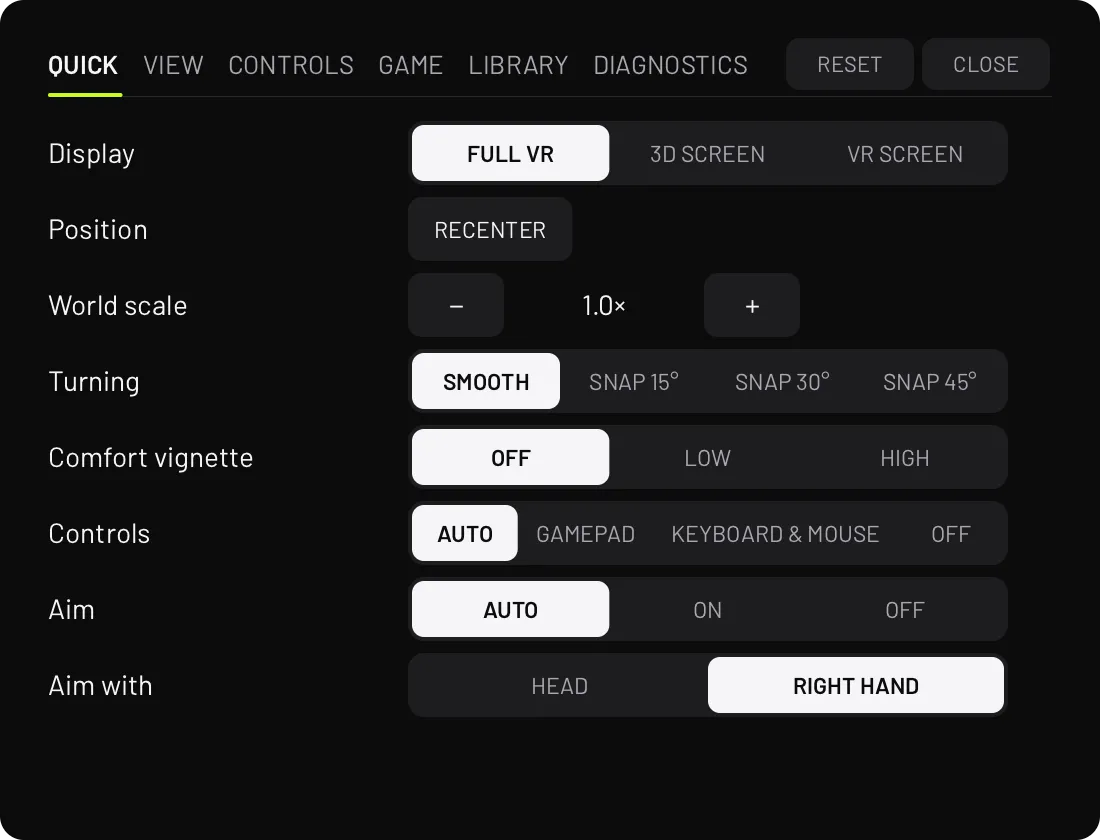
Flat Godot games can be played in VR with PortXR, and what you get depends on the Godot version the game was made with. Godot 4.3 and newer games get full VR with PortXR’s controls, menu and display modes. Godot 4.0 to 4.2 games get VR from the engine’s own OpenXR, without PortXR’s menu. Godot 3 games play flat on a big screen in VR.
The three paths at a glance
| Godot version | What you get | What is added beside the exe |
|---|---|---|
| 4.3 and newer, with Direct3D 12 | Full VR, 3D screen and VR screen, as in Unity games | A PortXR folder and an override.cfg |
| 4.0 to 4.2, and builds without Direct3D 12 | VR from the engine’s own OpenXR; no laser pointer or VR menu | An override.cfg and one script |
| Godot 3 | The flat game on a VR screen | Nothing |
In every case, Remove VR puts the game folder back byte for byte.
Godot 4.3 and newer
From Godot 4.3, PortXR runs inside the game the same way it does in Unity games. Add VR, or the first Play in
VR, puts a PortXR folder and an override.cfg beside the game’s exe. The game then gets:
- The same controls as Unity games: head and hand aim, the laser pointer, the wrist watch and the VR menu.
- All three display modes: full VR, 3D screen and VR screen.
- Per-game settings, on the game’s page in the app or in the VR menu.
- Hide objects and Weapon in hand, in the VR menu’s Game tab, and a crosshair.
The headset follows the game’s camera. That also works where the game draws its 3D world in a SubViewport, for example to get a retro resolution. The game’s 2D UI sits on a panel in front of you, and the controllers act as a gamepad inside the game.
PortXR runs these games on Direct3D 12, which Godot’s official builds include. A custom build of Godot without Direct3D 12, one that runs on Vulkan only, takes the 4.0 to 4.2 path below instead.
Per-game Lua scripts work in Godot games too. They can find nodes, show and hide them, move them, read or set any
property and call methods. Scripts live in %APPDATA%\PortXR\scripts, outside the game folder, so they survive
Remove VR.
Godot 4.0 to 4.2
Godot 4 has OpenXR built into the engine. For games from Godot 4.0 to 4.2, PortXR switches that on: it adds an
override.cfg and one script beside the game’s exe. The headset follows the game’s camera, the 2D UI sits on a
panel in front, and the controllers act as a gamepad.
What is missing on this path: PortXR’s laser pointer and its VR menu. Without the menu there is no switching to the 3D screen or VR screen from inside the game.
Godot 3
Godot 3 games are listed in PortXR on Windows and play on the VR screen. PortXR shows the game’s window in VR with Windows’ window capture and turns the controllers into a keyboard and mouse. A laser pointer clicks wherever the game shows its cursor. Nothing is added to the game or its folder. Double-tap the left menu button to bring the screen in front of you.
On Linux, Godot 3 games are not listed, because the VR screen captures windows through Windows.
How to tell the Godot version
PortXR reads the version from the game’s data pack: the .pck file beside the exe, or the pack built into the end
of the exe. The game’s page shows what it found. If you want to check a game folder yourself,
How to tell which engine a game uses has the telltale files.
What to expect
- Checked on every build. PortXR’s automatic checks export a Godot 4.5 game, add VR the way a player would, check the picture SteamVR receives, then check that Remove VR leaves the folder unchanged. A second check covers the Godot 4.0 to 4.2 path.
- Per-game fixes. Every game brings its own cameras, UI and effects, so some games need a fix in a script.
- Linux. Godot 4.3 and newer games are listed on Linux and get full VR through Proton, with the launch options the game’s page gives you. Linux support is experimental and requires more testing.
- Single-player only. Games with anti-cheat are refused, as in every engine.
If you play a Godot game with PortXR, a game report adds it to the list: the name, what you saw, your headset and the zip from Export logs. Working games are as useful to hear about as broken ones. The supported games guide covers the other engines.