What FoveaXR does
- Works in SteamVR (OpenVR) and OpenXR games without mods or per-game patches.
- Fixed foveation for every headset, and eye-tracked where the headset shares eye tracking with PC games.
- Presets Low, Medium and High. A change applies to running games at once.
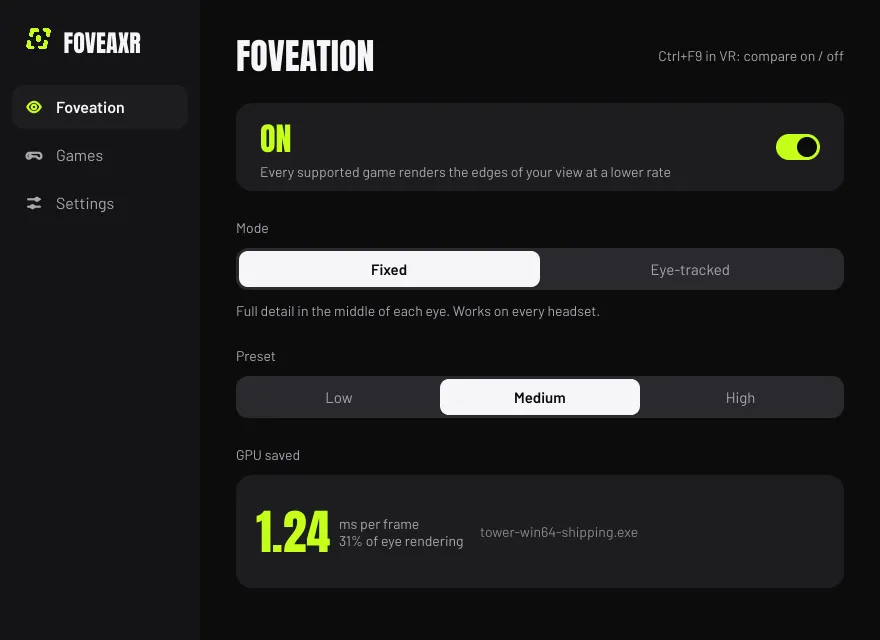
- Shows the GPU time saved in the running game. Ctrl+F9 switches it off and on to compare.
- Never runs in games with anti-cheat, and uninstall puts every game file back.
How it works
A game decides the colour of every pixel it draws. FoveaXR asks the GPU to decide one colour for a 2x2 or 4x4 block of pixels near the edge of each eye’s view, and one per pixel in the middle. The GPU feature that does this is called variable rate shading. The outlines of objects stay as sharp as before; only the shading gets coarser.
FoveaXR reaches a game in one of two ways:
- OpenXR games load an OpenXR API layer, which FoveaXR registers once. Every OpenXR game on any runtime picks it up from its next start, with no per-game setup.
- OpenVR (SteamVR) games get FoveaXR’s
openvr_api.dllin place of the game’s own, which it wraps. The original stays beside it. This takes one Enable click per game, and Disable or uninstall puts the original back.
Inside the game, FoveaXR finds the eye images by their render-target size. That is why some games save nothing: see What it does not do.
Fixed and eye-tracked
| What | Fixed | Eye-tracked |
|---|---|---|
| Where the sharp zone is | The middle of the lens | Where you are looking |
| What it needs | Any PC VR headset | A headset that shares eye tracking with PC games |
| In FoveaXR 1.0.0 | Released and tested on Windows | Experimental |
Eye data reaches OpenXR games through the XR_EXT_eye_gaze_interaction extension, and OpenVR games through SteamVR’s
eye-tracked foveation centre (SteamVR 2.15 and newer). Without eye data, the game falls back to fixed foveation. The
eye-tracking guide explains how to check your headset.
Which GPU works with which graphics API:
| Graphics API | NVIDIA RTX 20 and newer | AMD RX 6000 and newer | Intel Arc |
|---|---|---|---|
| Direct3D 11 | Yes | No | No |
| Direct3D 12 | Yes | Yes | Yes |
| Vulkan, OpenGL | No | No | No |
Direct3D 11 is NVIDIA only because AMD and Intel drivers have no variable rate shading there. The supported hardware guide covers Linux and the reasons in full.
The facts
| Works with | SteamVR and OpenXR games on Direct3D 12 (NVIDIA RTX 20, AMD RX 6000, Intel Arc and newer) or Direct3D 11 (NVIDIA RTX 20 and newer) |
|---|---|
| Runs on | Windows, Linux with Proton (experimental) |
| Version | 1.0.0 (released), changelog |
| Price | Free, with no account, telemetry or paid tier |
| Licence | Open source, GPL-3.0-or-later |
| Source | github.com/EncidXVII/FoveaXR , 0 stars |
| Made by | EncidXVII, on GitHub, Threads and X |
What it does not do
- Anti-cheat games. FoveaXR never runs in games with EasyAntiCheat or BattlEye, in games on its list, in VRChat or in games that already foveate themselves.
- Vulkan and OpenGL games. Direct3D 11 games are foveated on NVIDIA cards only, not on AMD and Intel.
- Save time in every game. Games that render the scene at an unusual size, and deferred renderers whose lighting pass binds no depth, may save nothing. So may some OpenVR Direct3D 12 games, whose render targets are created before the first frame reaches SteamVR.
- Promise one number for every game. The saving depends on how much of a game’s frame is pixel shading. Press Ctrl+F9 in VR and the app shows what it saves in yours.
- Everything on Linux. The Linux build is experimental and covers Direct3D 12 games only.
- Signed builds. Windows may warn about the unsigned app, and antivirus may flag
openvr_api.dllin game folders. Every release has a SHA-256 checksum.
Getting started
- Download FoveaXR, check the zip against its SHA-256 and unzip it.
- Run
Install.cmd. It needs no admin rights and installs for your Windows user only. - OpenXR games are foveated from their next start. For OpenVR games, open the Games tab and press Enable.
In VR, Ctrl+F9 switches foveation off and on so you can compare, and the app shows the GPU time saved. The install guide has the Linux steps.
Guides
- Install FoveaXR Install FoveaXR on Windows or Linux and switch foveated rendering on for your games.
- Uninstall FoveaXR Remove FoveaXR and put every game's files back.
- Check that FoveaXR works with your GPU and your game FoveaXR needs a Direct3D 12 game on NVIDIA RTX 20, AMD RX 6000 or Intel Arc and newer, or a Direct3D 11 game on NVIDIA RTX 20 and newer.
- Check whether eye-tracked foveation works with your headset FoveaXR moves the sharp zone to where you look when your headset passes eye data to the game. How that data travels, and how to check yours.
- What is foveated rendering, and how much does it save? Foveated rendering shades the edge of each eye's view at a lower rate than the centre. Why that works, fixed against eye-tracked, and what it saves.
Questions about FoveaXR
What is foveated rendering?
Your eye sees sharply only where it looks. Foveated rendering shades the middle of each eye's image at full detail and the edges at a lower rate, so the GPU has less to do. Fixed foveation keeps the sharp zone in the middle of the lens; eye-tracked foveation moves it to where you look.
Does FoveaXR need an NVIDIA card?
Not for Direct3D 12 games: NVIDIA RTX 20, AMD RX 6000 and Intel Arc cards and newer all work. Direct3D 11 games need an NVIDIA RTX 20 or newer, because only NVIDIA offers variable rate shading there.
Does FoveaXR work without eye tracking?
Yes. Fixed mode works on every PC VR headset and is the mode FoveaXR 1.0.0 has been tested in. Eye-tracked mode needs a headset whose eye tracking reaches PC games; without eye data, a game falls back to fixed foveation.
How much faster does FoveaXR make a game?
It depends on how much of a game's frame is pixel shading. On the test scene, eye rendering went from 1.37 ms to 0.25 ms on the High preset, and a real game measured 22% less. Press Ctrl+F9 in VR and the app shows the saving in your own game.
Will I see foveated rendering?
On Low and Medium most people do not. On High, or with a wide field of view, the outer ring can look softer, and games with temporal anti-aliasing can shimmer at the ring edges. The debug tint in Settings colours the rings so you can see where they are.
Can I use FoveaXR in games with anti-cheat?
No. FoveaXR never runs in games with EasyAntiCheat or BattlEye, in games on its anti-cheat list, or in VRChat. Do not use it in online competitive games even where it is not blocked.
A game update switched FoveaXR off. How do I get it back?
In an OpenVR game, an update replaces FoveaXR's openvr_api.dll with the game's own. The app's Games tab then shows Re-enable for that game: press it. OpenXR games are not affected, because FoveaXR reaches them through an API layer outside the game folder.
More tools from EveryVR
-
PortXR
Play flat PC games in VR
0.2.0, early access. Windows, Linux through Proton (experimental).
-
WristXR
VR desktop overlay with wrist clock
0.1.0, early access. Windows, Linux (experimental).
-
SweatXR
VR fitness and calorie tracker
1.0.0, released. Windows, Linux (experimental), Steam Frame (experimental).