Ways to play a flat game in VR, and when each is best
A mod made for one game, an injector for one engine, a tool for several engines, or a virtual cinema screen: what each gives you and when to pick it.
By EncidXVII, .
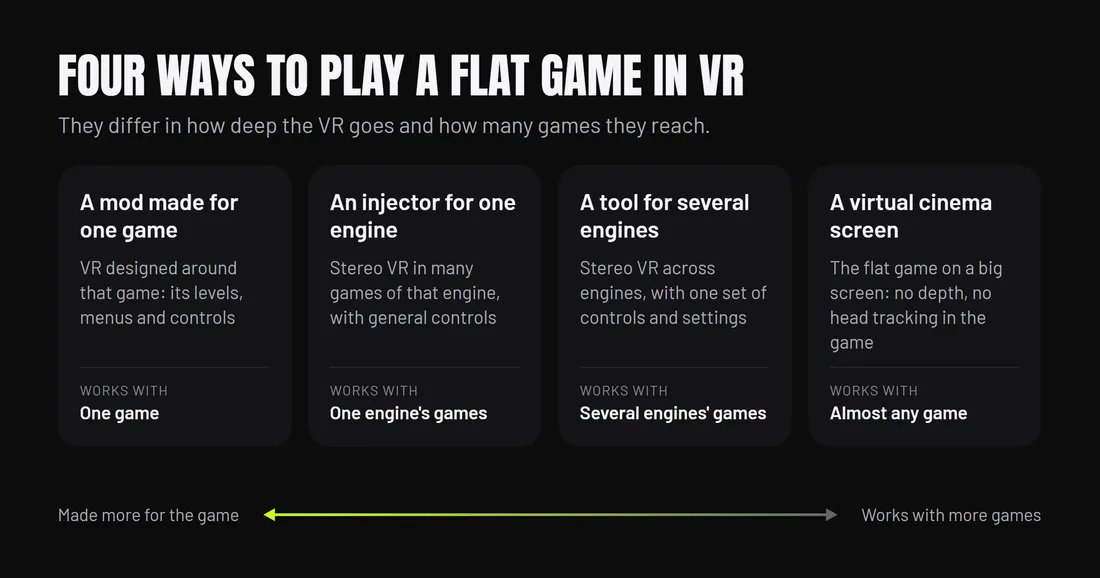
There are four kinds of way to play a flat PC game in a headset: a mod made for that one game, an injector made for one engine, a tool that covers several engines, and a virtual cinema screen. They differ in how deep the VR goes and how many games they reach. If someone has made a VR mod for your game, it is usually the best way to play that game; the others are for the many games nobody has made one for.
This site makes PortXR, which is the third kind. This page compares the kinds, not products, and names none of them.
The four kinds side by side
| Kind | What you get | What it needs | The better choice when |
|---|---|---|---|
| A mod made for one game | VR designed around that game: its levels, menus, controls and often motion-controlled hands | Someone who made it for that game and its version | One exists for your game and is kept up with the game’s updates |
| An injector for one engine | Stereo VR in many games of that engine, with general controls | A game built on that engine and a supported version | Your game is on that engine and the injector has a fix for it |
| A tool for several engines | Stereo VR across engines, with one set of controls, menu and settings | A game built on one of the engines it covers | You play games on more than one engine, or one nobody has modded |
| A virtual cinema screen | The flat game on a big screen; no depth, no head tracking in the game | Almost nothing from the game | The game does not suit VR, or nothing else supports it |
A mod made for one game
A mod written for one game can change the game itself: put real hands on your controllers, rework menus for a laser pointer, scale the world, fix effects that break in stereo, and add interactions the flat game never had. Nothing general can know a game that well.
The cost is that it exists only where someone wrote it, and it can break when the game updates until its author catches up. If a well-kept one exists for the game you want to play, use it. A general tool is not trying to beat that.
An injector for one engine
An injector knows one engine’s internals well. It can reach the camera and rendering of most games on that engine, so a single download covers many games at once. Because it focuses on one engine, it can go deep into that engine’s specifics. Many games still need a per-game tweak to play well.
It does nothing for games on other engines, and each game still brings its own cameras, UI and effects.
A tool for several engines
A tool that covers several engines gives the same controls, menu and settings whatever engine the game was made with. You learn it once. It is the kind PortXR belongs to: it covers Unity 2018.4 to Unity 6, Unreal Engine 4.22 to 5.6 and Godot 4, with full VR, a 3D screen and a VR screen in each, and Remove VR puts each game folder back byte for byte.
The trade-off is the same as for an injector, spread over more engines: no general tool can know every game. Some games need a per-game fix, which in PortXR is a short Lua script shared in the game scripts catalogue. PortXR is in early access. The supported games guide says what it covers and what it refuses.
A virtual cinema screen
A virtual screen shows the flat game on a big screen floating in front of you. The game is unchanged: one flat picture, steered with its own controls, often with a keyboard or gamepad. Because it does not reach inside the game, it works with games none of the other kinds can handle.
What you give up is everything that makes VR different: depth, scale and looking around. It is the right pick for a strategy game, a 2D platformer, a game with heavy menus, or a long session on the sofa. PortXR’s VR screen mode is this kind, for the games in its engines; older Unreal Engine and Godot 3 games get only that mode in PortXR.
Online games and anti-cheat
All four kinds share one rule: keep them to single-player games. Modding an online game can break its terms of service and get an account banned. PortXR refuses games with EasyAntiCheat or BattlEye and flags multiplayer-only games. Whatever the kind, the game’s own terms of service decide what is allowed.
How to choose
- Is there a VR mod made for your game? Use it, if it is kept up to date.
- Do you want to be inside the game? Find out which engine it uses (How to tell which engine a game uses) and use a tool for that engine.
- Does the game not suit full VR, or nothing supports it? Use a virtual screen.
To try the third kind, How to play flat PC games in VR has the three steps with PortXR.